• Зареєструватися
  • Вхід
  • Ціни
  • Огляд
  • Підтримка
    • Підтримка
    • Підручники
    • Довідник
    • Шаблони
    • Документація API
    • Support Forum
  • Створити PollUnit
    • Покрокове створення
    • Швидке створення
    • Створити за допомогою ШІ

Random Subset of Options: Split Large Surveys into Manageable Parts
Random Subset of Options: Split Large Surveys into Manageable Parts

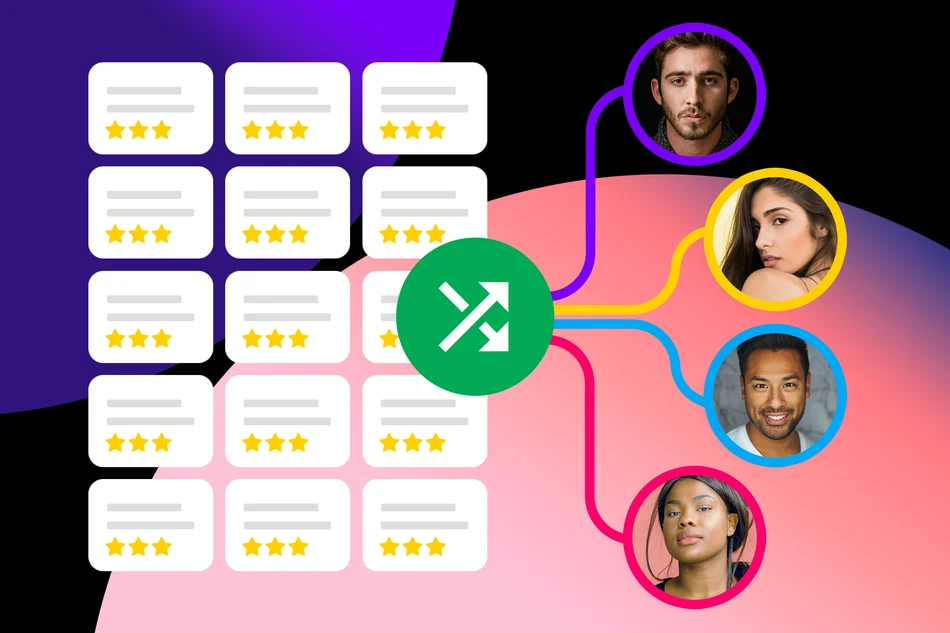
With the new »Random Subset of Options« feature, you can create extensive surveys without overwhelming participants with too many questions or answer options. Each participant sees only a random selection.

Imagine you want participants to rate 100 statements on a Likert scale. This can quickly become tiring and may cause participants to abandon the survey before completing it.

With the new »Random Subset of Options« feature, you can specify that each participant only needs to rate, for example, 10 out of 100 statements. PollUnit randomly selects these statements for each participant. This allows you to collect feedback on a wide range of topics while keeping the effort required from each participant low.

How It Works

When creating your survey, you can enable the »Random Subset of Options« checkbox individually for each survey step.

Then, specify how many options should be displayed. This requires random option ordering to be enabled.

Each participant will see a random selection of the available options. The remaining options will be hidden.

Versatile Use Cases

Random subsets are useful in a variety of scenarios:

  • Likert Scales: Have participants rate hundreds of statements without requiring everyone to answer them all.
  • Product Evaluations: From 50 product ideas, each participant receives, for example, 5 randomly selected ideas to evaluate.
  • Market Research: Distribute extensive question sets across different participants.
  • Employee Surveys: Collect feedback on a wide range of topics while reducing the time needed to complete the survey.

Less Effort, More Feedback

Shorter surveys can increase participation rates and reduce survey fatigue. At the same time, you can include significantly more questions and answer options in your survey.

Since options are distributed randomly, the number of responses per option may vary. Keep this in mind when analyzing your results.

Try the new feature in your next survey!

Опубліковано: 28.10.2026 10:22

Поділіться з друзями

PollUnit Blog

Ухвалюйте рішення з PollUnit!

Інструмент для ваших онлайн-голосувань, опитувань, планувань і оцінювання зображень.

Дізнатися більше Створити PollUnit

Інструменти

  • Голосування
  • Швидке запитання
  • Опитування
  • Безкоштовні таблиці
  • Збір ідей і відгуків
  • Фотоконкурси
  • Відеоконкурси
  • Музичні конкурси
  • Лендингова сторінка
  • Попарне порівняння
  • Адвент-календар

Підтримка

  • Початок роботи
  • Підручники
  • Довідка PollUnit
  • Шаблони
  • Створити за допомогою ШІ
  • Документація API
  • Форум підтримки
  • support@pollunit.com

Підручники

  • Створіть своє перше опитування
  • Розширені функції опитувань
  • Розширена логіка розгалуження для опитувань
  • Розподіляйте завдання онлайн
  • Голосуйте й оцінюйте варіанти
  • Знайдіть дату
  • Голосуйте за зображення
  • Створіть власну тему
  • Опитування з власним логотипом
  • Оцінюйте Ваш PollUnit
  • Точкове голосування
  • Голосування за шкалою
  • Опитування на Вашому власному вебсайті
  • Live Voting
  • Знайдіть консенсус
  • Керуйте орга­нізаціями
  • Запобігайте багаторазовій участі
  • Пожертви та внески за участь

Legal

  • Privacy policy
  • Terms of use
  • Imprint

PollUnit

  • Про PollUnit
  • Changelog
  • Прескіт
  • ШІ-документація (llms.txt)
  • Deutsch
    Німецька
  • English
    Англійська
  • Español
    Іспанська
  • Français
    Французька
  • Italiano
    Італійська
  • Nederlands
    Нідерландська
  • Português
    Португальська
  • Усі часові значення в (GMT+00:00) UTC
  • © PollUnit
  • Створити PollUnit
  • Зареєструватися
  • Вхід
  • Ціни
  • Огляд
  • Підтримка
    • Підтримка
    • Підручники
    • Довідник
    • Шаблони
    • Документація API
    • Support Forum