Turn Your Surveys into Interactive Quizzes and Knowledge Tests
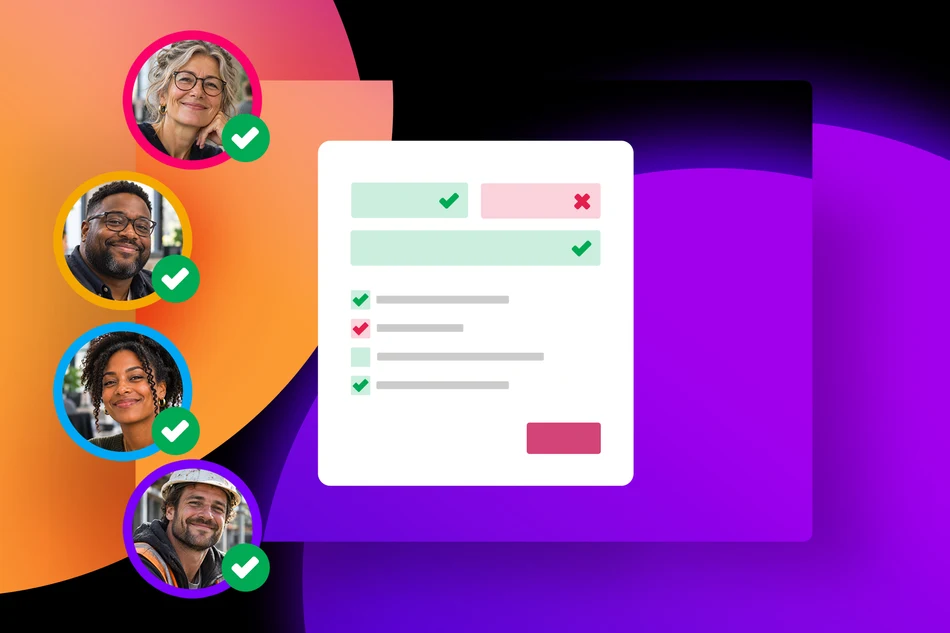
PollUnit surveys are now more versatile! With the new Quiz Steps, you can turn ordinary surveys into interactive learning experiences, knowledge tests, and online assessments. Whether you're training employees, teaching students, or testing participants' knowledge, you can now combine survey questions with quizzes in a single workflow.
Two Ways to Test Knowledge
Quiz Steps allow you to define correct answers and choose how participants are evaluated. Depending on your goals, you can use two different approaches.
1. Require Correct Answers to Continue
In this mode, participants must select the correct answer before they can proceed to the next step.
This is particularly useful for training courses and learning exercises where the goal is to reinforce knowledge rather than assign grades. Participants can work through the material at their own pace, making sure they understand each topic before moving on.
For example, during employee onboarding, you could introduce company policies and follow each section with a question that employees must answer correctly to continue.
2. Award Points for Correct Answers
If you want to measure knowledge and evaluate performance, you can award points for correct answers.
Participants can complete the quiz while their answers are evaluated based on correctness. This approach is ideal for exams, knowledge assessments, and any situation where you want to measure how well participants understand a subject.
For example, a university lecturer could create an online knowledge test to assess how well students have understood the course material.
Combine Quizzes with Traditional Survey Questions
One of the biggest advantages of Quiz Steps is that they are fully integrated into PollUnit's survey builder.
You don't need to create separate quizzes and surveys. Instead, you can combine knowledge tests with regular survey questions, ratings, and feedback fields in a single survey.
For example, you could start with a few questions about participants' previous experience, introduce a series of Quiz Steps, and finish by asking for feedback on the training.
This makes it easy to create interactive learning experiences that go beyond simple multiple-choice tests.
Use Cases for Quiz Steps
Quiz Steps open up new possibilities for schools, universities, companies, nonprofits, and other organizations.
- Employee Onboarding: Introduce new employees to company policies, processes, and important information while checking their understanding.
- Compliance and Safety Training: Create interactive courses covering workplace safety, data protection, or internal guidelines.
- School Quizzes and Classroom Tests: Help teachers assess students' knowledge, reinforce lessons, and create interactive homework assignments.
- University Assessments: Create knowledge tests, practice exams, and self-assessments to support academic learning.
- Professional Development: Evaluate employees' understanding after workshops, training sessions, or internal courses.
- Volunteer Training: Help nonprofits and associations prepare volunteers for their responsibilities with interactive learning modules.
- Event and Workshop Quizzes: Make conferences, seminars, and workshops more engaging with knowledge checks and interactive questions.
- Knowledge Challenges: Create fun quizzes to engage teams, communities, or event participants.
From Simple Surveys to Interactive Learning
With Quiz Steps, PollUnit becomes more than a tool for collecting feedback. You can now share knowledge, reinforce learning, and evaluate understanding while continuing to benefit from the flexibility of the survey builder.
Whether you want to guide participants through a training course or create a scored knowledge test, Quiz Steps give you the tools to make your surveys more interactive and educational.
Ready to try it? Create a survey and add your first Quiz Step!
Published at: 11/04/2026 03:07 PM
Turn Your Surveys into Inte...Random Subset of Options: Split Large Surveys into Manageable Parts
With the new »Random Subset of Options« feature, you can create extensive surveys without overwhelming participants with too many questions or answer options. Each participant sees only a random selection.
Imagine you want participants to rate 100 statements on a Likert scale. This can quickly become tiring and may cause participants to abandon the survey before completing it.
With the new »Random Subset of Options« feature, you can specify that each participant only needs to rate, for example, 10 out of 100 statements. PollUnit randomly selects these statements for each participant. This allows you to collect feedback on a wide range of topics while keeping the effort required from each participant low.
How It Works
When creating your survey, you can enable the »Random Subset of Options« checkbox individually for each survey step.
Then, specify how many options should be displayed. This requires random option ordering to be enabled.
Each participant will see a random selection of the available options. The remaining options will be hidden.
Versatile Use Cases
Random subsets are useful in a variety of scenarios:
- Likert Scales: Have participants rate hundreds of statements without requiring everyone to answer them all.
- Product Evaluations: From 50 product ideas, each participant receives, for example, 5 randomly selected ideas to evaluate.
- Market Research: Distribute extensive question sets across different participants.
- Employee Surveys: Collect feedback on a wide range of topics while reducing the time needed to complete the survey.
Less Effort, More Feedback
Shorter surveys can increase participation rates and reduce survey fatigue. At the same time, you can include significantly more questions and answer options in your survey.
Since options are distributed randomly, the number of responses per option may vary. Keep this in mind when analyzing your results.
Try the new feature in your next survey!
Published at: 10/28/2026 10:22 AM
Random Subset of Options: S...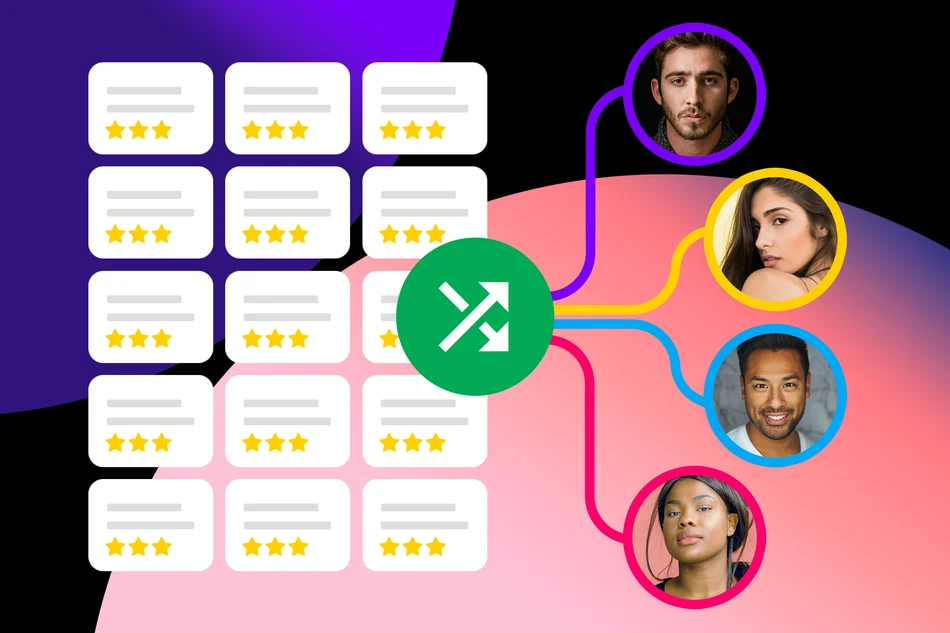
Your theme sets the tone: Background music for PollUnit

An eerie whisper for your Halloween contest or gentle sounds as the next Advent calendar door opens: Background music adds even more atmosphere to your PollUnit.
Music on websites? Yes, it does sound a little like the internet of days gone by. But we think that when the spookiest pictures compete for votes in a Halloween photo contest, a fitting soundscape deserves a place too. And a digital Advent calendar can certainly benefit from a little Christmas cheer.
Sounds to match your design
You can now add background music to your themes. When you select one of these themes for your PollUnit, a small music player appears. Alongside colors, fonts, and background images, your design now gets its own soundtrack.
From mysterious ambient music to wintry melodies and playful tunes, music can reflect the mood of your theme and enrich the experience for your participants.
From Christmas magic to goosebumps
The new feature is especially suited to occasions where things can be a little more relaxed. Add festive sounds to your Advent calendar, give your Halloween contest an extra dose of spookiness, or add a musical backdrop to your club poll.
Your next serious customer survey might not need a soundtrack. But when it comes to having fun, building anticipation, or creating a spooky atmosphere, design can afford to be a bit old school.
Published at: 10/23/2026 11:15 AM
Your theme sets the tone: B...Allow Free-Text Answers Directly in Multiple-Choice Questions
With the new »Other« option for Multiple Choice, Single Select, and Dropdown questions, participants can add their own answers directly to selection questions. A text field automatically appears when »Other« is selected.
Custom Answers Without Additional Text Fields
It's not always possible to anticipate every potential answer to a question. That's why it makes sense to allow participants to enter their own responses alongside predefined answer options.
Previously, you could achieve this in PollUnit by adding a separate text field to your survey. With the new »Other« option, it's now even easier.
When you enable this option for a selection question, PollUnit automatically adds »Other« as an additional answer choice. When participants select it, a text field appears where they can enter their own answer. If they deselect "Other", the text field disappears again.
This is particularly useful for required questions: You can mark the entire selection question as required. If participants choose "Other", they can answer the question by entering their own text. There's no need for a separate text field with its own validation rules. This keeps your survey clean and ensures that the question is answered completely.
Available for Three Question Types
The new feature is available for Multiple Choice, Single Select, and Dropdown questions.
You can enable the "Other" option directly when creating or editing a question. No additional text fields or conditional logic are required.
Structured Answers with Custom Responses
For example, let's say you want to find out how your customers heard about your company. You provide »Search Engine«, »Social Media«, and »Recommendation« as answer options.
Anyone who discovered your company through another channel can simply select »Other« and enter their own answer.
This allows you to combine structured answer choices with individual responses without making your survey unnecessarily complicated. Analyzing the results also becomes easier, as predefined and custom answers are collected within the same question.
The new »Other« option makes it easier to create flexible selection questions while keeping your surveys clean and user-friendly.
Create your next survey with PollUnit and try out the new feature.
Published at: 10/22/2026 07:11 PM
Allow Free-Text Answers Dir...
Create PollUnits with your AI assistant

From your first idea to a finished survey: Connect PollUnit to your AI assistant and create polls, surveys, or contests directly in your conversation.
Do you use AI to brainstorm ideas, draft questions, or plan projects? With PollUnit’s new MCP interface, you can turn that work directly into a suitable PollUnit. Describe what you need to your assistant and use PollUnit’s wide range of voting methods, participation restrictions, and analysis tools to run it.
Turn your prompts into a ready-to-use PollUnit
Suppose you want to find out how satisfied your online store’s customers are. Instead of manually transferring the questions from your AI conversation, you can ask your connected assistant:
“Create a customer satisfaction survey for our online store. Ask about product quality, delivery, and customer service.”
Your assistant drafts the questions and creates the survey in PollUnit. You can then review it, make adjustments, and share the participation link.
The context of your conversation can also be incorporated. If you have already discussed your target audience, goals, or wording, your assistant can build on that.
Analyze results directly in your conversation
The connection also helps after creation. Your assistant can retrieve existing PollUnits and their available results. This lets you ask in the same conversation:
“What are the current results of our satisfaction survey?”
You can then summarize results, discuss notable findings, and develop next steps. For open-ended responses in particular, AI can help identify recurring themes.
You connect your AI assistant yourself to your PollUnit account and authorize access. If you do not activate MCP, nothing changes in how you use PollUnit.
Published at: 10/14/2026 08:38 AM
Create PollUnits with your ...Ranked voting is now even easier
Which idea has the highest priority? Which design is the most convincing? And which alternative comes second? Ranked voting shows you how participants rate your options in comparison to one another.
Previously, you had to create a survey and add a corresponding step to use ranked voting. This remains useful if you also want to ask additional questions.
For a standalone ranked vote, it is now even easier: Create a poll, choose ranked voting as the voting type and add your options. Your participants then arrange all options in order and submit their complete ranking.
What is ranked voting?
In ranked voting, participants arrange all available options in their preferred order. Their favourite option takes first place, the next takes second place, and so on.
For example, if you want to find out which of four projects your team would like to tackle first, all participants rank the four proposals according to their personal priorities. Every option is considered: By submitting their ranking, they cast a vote for all options at the same time.
A single vote tells you which option someone prefers. A ranking gives you a more complete picture: Which option would be their second choice? Which falls somewhere in the middle? And which is least preferred? This is particularly helpful when there are several good proposals to choose from and you want to understand their relative priority. A project might be the first choice of only a few people, but come second for many others. These preferences remain invisible when participants select only their favourite.
Since all options must be ranked, you receive a complete ranking from every voter. Participants assess the proposals by comparing them directly with one another.
What is ranked voting useful for?
Ranked voting is useful whenever you need an order rather than a single selection. For example, you can use it to:
- rank ideas and projects by priority
- determine the preferred order of topics for a workshop
- compare designs, names or product concepts
- find out which activities a group would most like to do
Published at: 09/30/2026 11:14 AM
Ranked voting is now even e...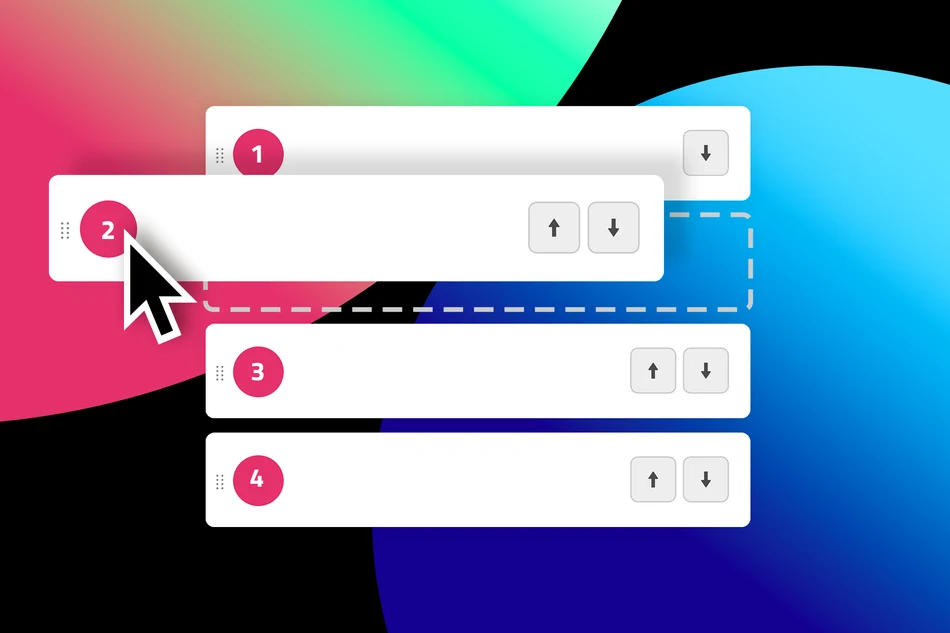
Dot Voting: All Dots Must Be Used

When using Dot Voting, participants receive a set number of dots to distribute among ideas or options. Until now, they could use only some of their dots. The rest went unused.
With the new »All dots must be used« setting, you can require participants to use their full dot allowance. Their dots count towards the ranking only after they have distributed all of them.
Why is this useful?
If some participants use all their dots while others use only a few, different numbers of points contribute to the results. This can skew the ranking: one person might support only their favorite, while another spreads their dots across several good ideas.
The new setting ensures that everyone votes under the same conditions. Every available dot contributes to the results once the vote is complete.
Incomplete votes don’t count towards the ranking
If someone uses only some of their dots, those points won’t count towards the ranking yet. Their vote counts as soon as they have distributed all their dots.
This makes Dot Voting even more useful for prioritizing ideas, choosing proposals, and making decisions together while ensuring that no dots go unused.
Published at: 09/29/2026 06:42 AM
Dot Voting: All Dots Must B...New in Free Tables: Add Emoji Reactions Directly to Cells
Sometimes you don’t need a long comment. A ❤️, 👍 or 🎉 already says it all.
That’s why you can now add emoji reactions to individual cells in Free Tables. Participants can quickly show what they like, express their approval, or react to an entry – right where the feedback belongs.
When comments are enabled for your table, participants can not only write comments but also add emoji reactions to individual cells. This is especially useful when a detailed response isn’t necessary. An emoji works like a quick shortcut comment:
❤️ I like this
👍 I’m in favor
🎉 Great idea
👏 Well done
😂 That’s funny
And of course, there are many more emojis to choose from.
How reactions work
You can add a new reaction via the context menu of a cell.
As soon as the first reaction has been added to the table, a shortcut icon also appears directly in the cells. This makes adding more reactions especially quick and easy.
Permissions are based on the comment settings: Anyone who is allowed to add comments can also react with emojis. After all, a reaction is essentially the shortest possible form of a comment.
Use cases for reactions in Free Tables
Emoji reactions make Free Tables more interactive wherever quick feedback is needed. Instead of writing a comment or creating a separate poll, participants can react directly to individual entries.
- Prioritization: Mark suggestions with 👍, ❤️ or 🚀 and quickly see which ideas are most popular.
- RSVPs and events: React to agenda items, activities, or other entries and collect additional feedback for planning together.
- Potlucks, buffets, and bring-a-dish lists: Use ❤️ to show which dessert you’re looking forward to or 👍 to support a suggestion.
- Teams and projects: Easily confirm, appreciate, or comment on tasks, suggestions, or results.
- Workshops and brainstorming: React to collected ideas during the workshop and get an initial sense of the group’s preferences.
- Clubs and groups: Collect suggestions for trips, events, or shared activities and get direct feedback from the group.
This way, a Free Table combines structured information with easy interaction – without requiring a separate comment for every small piece of feedback.
And especially on mobile devices, a single tap is often enough to say: ❤️ I like this.
Published at: 09/16/2026 10:05 AM
New in Free Tables: Add Emo...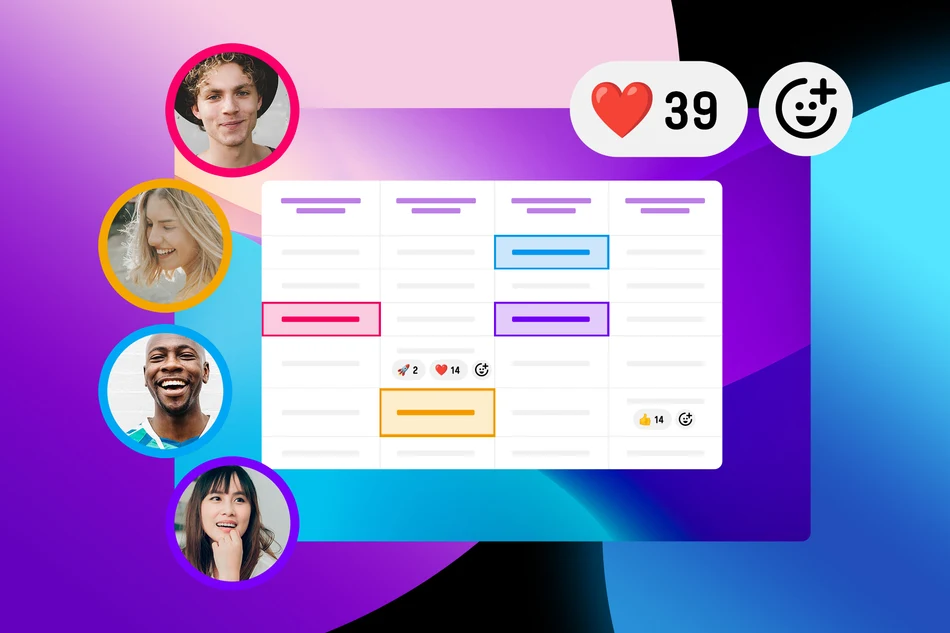
Halloween is just around the corner: Time for your Halloween contest

Halloween is getting closer, making now the perfect time to plan contests and activities for your community, club, school, or company.
With an online photo contest, participants can easily submit their photos and let your community vote for their favorites.
Halloween Costume Contest
Who has the scariest, funniest, or most creative costume?
In a Halloween costume contest, participants simply upload a photo of their costume. Your community can then vote online for their favorites.
You can also create different categories, such as “Scariest Costume,” “Most Creative Idea,” or “Best Group Costume.”
Scarecrow Contest – the most creative scarecrow wins
Another classic for the fall and Halloween season is a scarecrow contest.
Families, schools, clubs, or entire neighborhoods can create their own scarecrows and submit photos. The community then decides which scarecrow is the most creative, funniest, or perhaps even the scariest.
It’s also a great way to complement local fall festivals or Halloween events.
Even more Halloween ideas
Of course, you don’t have to stop at costumes and scarecrows. Carved pumpkins, spooky house decorations, Halloween treats, or creepy artwork are also perfect for a photo contest.
With PollUnit, you can organize submissions and voting online and configure your contest to suit your event.
Now is the perfect time to prepare your Halloween contest – so when Halloween arrives, all that’s missing are the best entries from your community.
Published at: 09/12/2026 02:56 PM
Halloween is just around th...PollUnit Now Available in Korean
안녕하세요! PollUnit is now also available in Korean (한국어).
Over the past few months, we have started expanding PollUnit's language coverage beyond Europe, with a particular focus on Asia.
Following Japanese (日本語), Vietnamese (Tiếng Việt) and, more recently, Chinese (中文), Korean (한국어) is now the latest language to join PollUnit.
PollUnit is becoming more international
PollUnit is used for polls, surveys, photo and video contests, as well as other types of competitions with participants from many different countries. Especially for international contests, we want to make it possible for as many people as possible to use PollUnit in their own language.
With Vietnamese, Chinese, and Korean, PollUnit now supports three major languages in Asia.
It's not just about the people who create a PollUnit. Participants can choose their preferred interface language independently. For example, an international photo contest can be organized by a German photography club while participants from Korea use PollUnit in Korean.
Korean with the help of AI
Just like with our Chinese translation, we used AI to help us translate PollUnit into Korean.
This allows us, as a small team, to offer PollUnit in languages that none of us speak ourselves. At the same time, we know that context and linguistic nuances play an important role, especially when translating short interface texts.
That's why we don't consider the new translation finished. Instead, we want to continue improving it together with our users.
한국어 할 줄 아세요?
Do you speak Korean? Then we'd especially appreciate your help.
If you come across a translation in PollUnit that is incorrect, unclear, or simply doesn't sound natural, please let us know. Your feedback helps us continuously improve the Korean version.
With every new language, PollUnit gets one step closer to our goal: making polls and contests accessible to as many people as possible, regardless of language or origin.
Published at: 08/26/2026 10:24 AM
PollUnit Now Available in K...